Alias iSis barcode string to Scanning Template
- On the Expert Account go to Capture Inspector.
- Select "Measurement Tasks" Tab
- Filter scanning templates (to reduce number of unwanted results!):
- in "Instruments" select iSis
- in "Scanning Templates" select proper one (must be a iSis template!)
- optionally define other filter if required (operator, Location, Control Strip...)

- click "Submit" button - that will list all existing combinations of printer/track (printer/substrate).
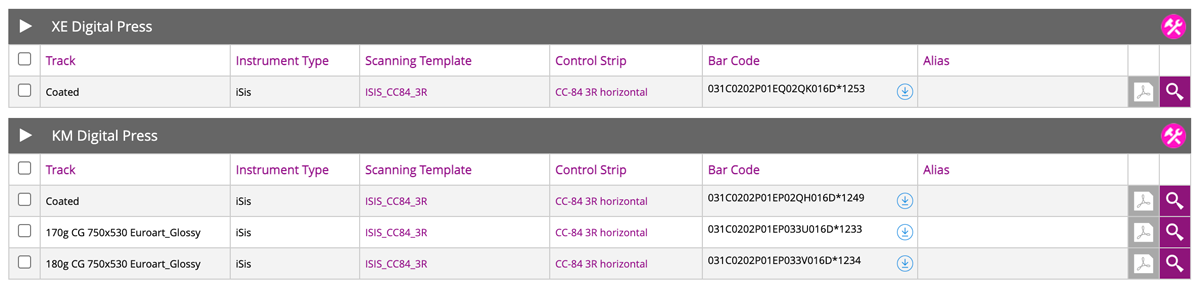
Now the list is limited to the iSis and specific Scanning Template ( in this case: ISIS_CC84-3R) - Every single combination has system generated barcode - that can be downloaded by hitting download icon next to the bar code:
Example:
Printer: KM Digital Press, Substrate: 170g CG 750x530 Euroart_Glossy
Code: 031C0202P01EP033U016D*1233
Downloaded PDF (consist barcode only):
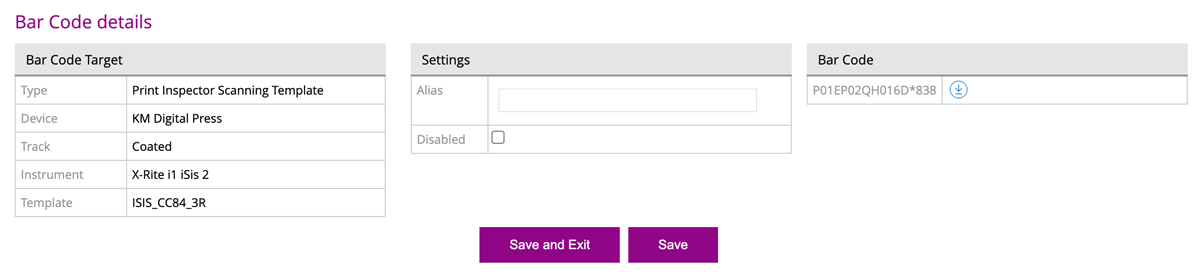
This barcode can be used for manual replacement (take care not to mix different geometry and patch size) - By clicking on magnifying glass it is possible also to enter Alias (paste here string that CC Capture recognized)
Video
-
This tutorial covers the use of Chromachecker Capture to operate an x-Rite iSis spectrophotometer.
-
This tutorial shows how to use a barcode to automatically select the print condition and printing device that was used to produce the output being read by the iSis spectrophotometer. This automates the process of a quality check to simply placing the leading edge of the output in the iSis instrument to start the identification of the file and scanning of the control strip.
-
This tutorial provides an overview of how to perform a mechanical check for the iSis spectrophotometer scanner. By using Instrument Inspector you can confirm that the iSis is performing within the specification of the device. If you receive a fail at any time, it is a best practice to review this basic maintanence.
-
Using ChromaChecker Capture and Instrument Inspector you can baseline an instrument to ensure it is within ISO standards. Once baseline, the instrument can be checked over time to provide the required reporting for ISO compliance. This check will satisfy the costly need to return the instrument for verification.
Contact ChromaChecker Support
Additional information and Support Form is available for logged users.