PlaceHolder Spot Patches
When creating a control strip the user can click on the "Add Spot" button. That will create a patch called Custom Spot 1-4. The dialog box makes it possible to specify a tint value.
This is a patch placeholder - not assigned to any specific color, however, for the preview purpose, it has an sRBG definition (customizable). When the placeholder is defined CC Capture will ask the Operator to select any spot reference from the linked Color Library or Palette. So it creates a control strip somehow opened and the final selection is to be made by the operator just before measurement. If it is not selected, it will read as a substrate patch.
Steps to create:
- Open Capture Inspector
- Create or modify any existing control strip (in this example we are modifying Minimal G7)
- Click the "Add Spot" button and set name and tint - in this case, 4 patches were added Custom Spot 1 and 2 - 100 and 50% tint for both.
- When complete click "Save"
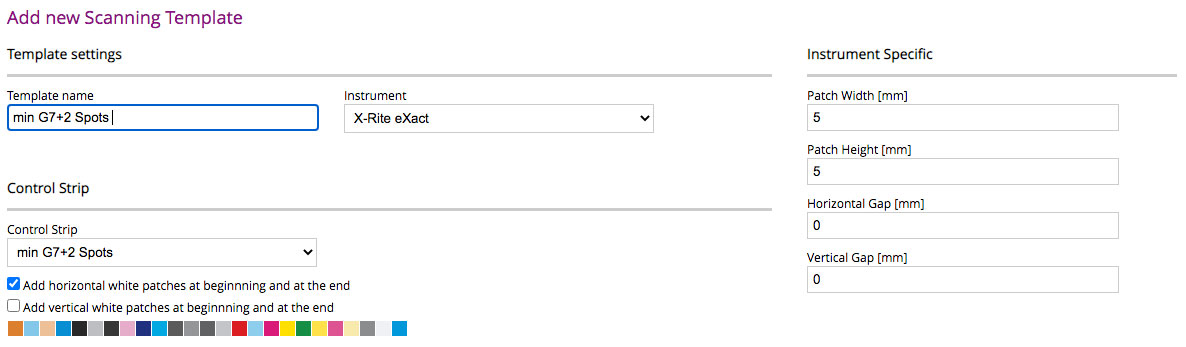
- Define a Scanning Template for your instrument (correlate control strip with patch sizes)
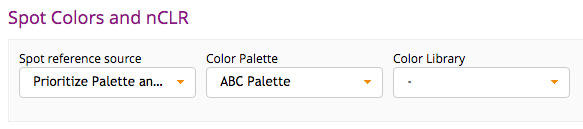
- Make sure that your Print Inspector track has assigned Color Library and/or Color Palette (track properties). Placeholders can be assigned to any samples that are in linked libraries/pallets.
This example ABC Pallete contains: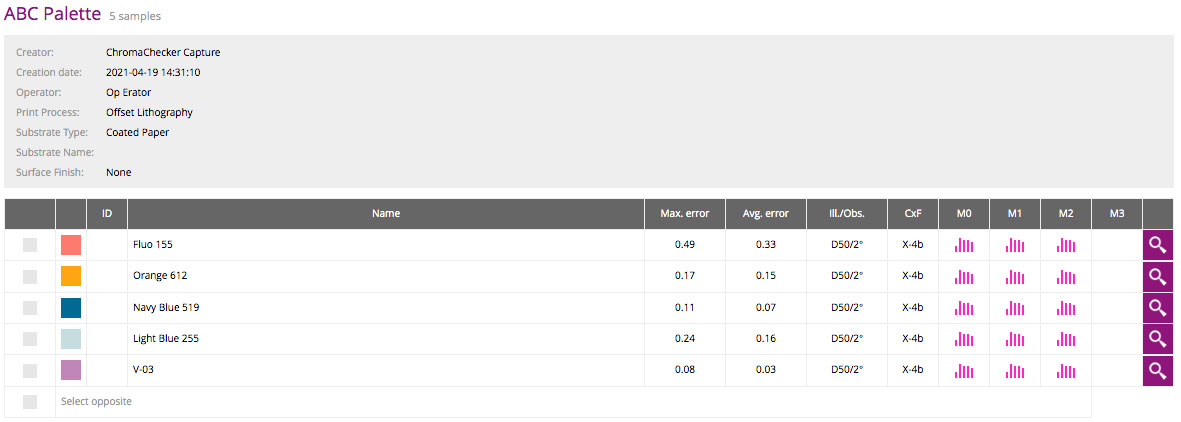
- Launch CC Capture and select a new Template from the list. Next to the template, there is a PDF icon

Click on it to download the control strip.
It starts with the DataMatrix barcode that is unique for the selected printing device/track/control strip additional white before the first and after the last patch along with description. When opened with Acrobat Reader Pro we can see 2 spots inks next to the CMYK process. 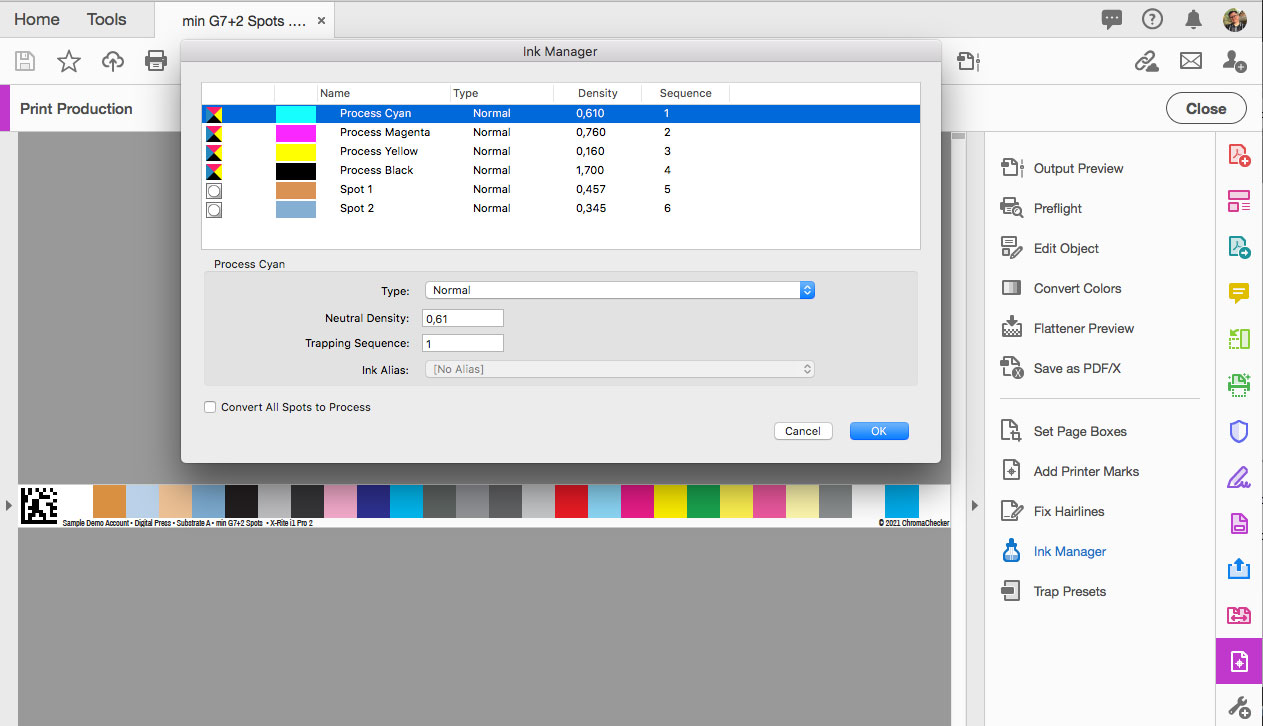
- CC Capture when detecting placeholders will ask the operator to assign samples from pull-down selection of Library/Pallete spot colors.
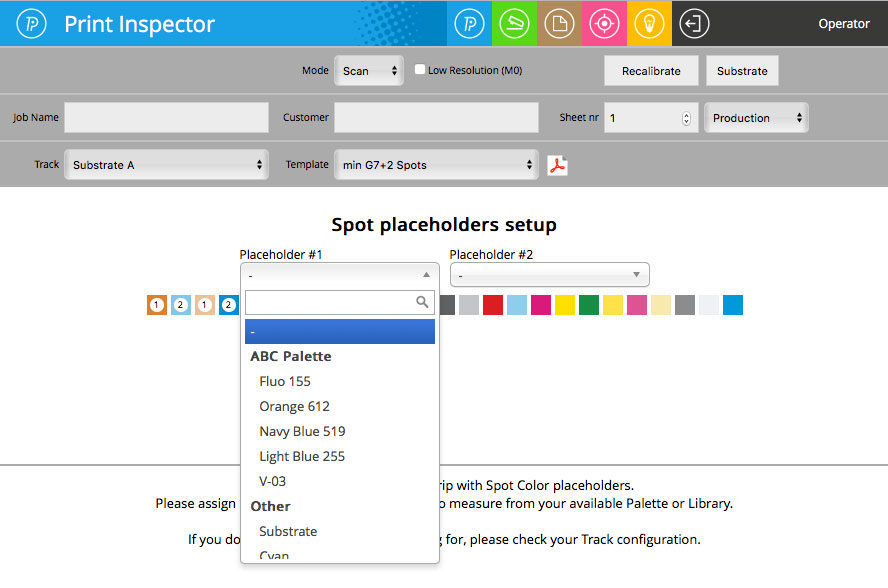
In this case, we have two spot colors that can be assigned with Capture allowing for up to 4 unique spot colors that can be defined in Capture Inspector/Control Strips. This is a very easy and fast way to adopt a control strip to work with spot colors predefined in Color Inspector Assets. If a Placeholder is not selected, it will know to read as a substrate patch.
Video
-
This tutorial shows the simple operation of the i1i0 table using Chromachecker Capture software. The control strip consists of 18 spot colors and the G7 patches to iterate a G7 curve directly out of Capture. This creates a simple and automated process for operators to perform a quality check on G7, process colors and spot colors.
-
How to save a PDF file for use in the Named Color workflow with ChromaChecker. ChromaChecker is able to create custom lookup tables using device ICC output profiles. These tables are used to convert LAB values for each individual press to achieve the best match for critical spot color workflows.
-
The Spot Color Exercise is an interactive way to communicate how Spot Colors will print and determine the Delta E difference that is acceptable. The exercise is an instruction and a practical tool for designers, print buyers, and sales for communicating color.
-
This tutorial shows how Chromachecker Capture scans control strips that include spot colors as part of your overall color quality control program.
Contact ChromaChecker Support
Additional information and Support Form is available for logged users.